

Since the emergence of ‘the cloud’, we’ve been involved with helping businesses of all sizes and requirements migrate their data, applications, emails, everything. In short – we’ve dealt with more clouds than Michael Fish. But why are we different, and why migrate your data to the cloud in the first place? Cloud migration is the process of partially or completely moving a company’s data, digital assets and IT infrastructure into cloud based storage. Having all your vital information and files on a cloud means that your important stuff stays safe (from physical damage to your equipment AND digital attacks). It means you can offload the responsibility of keeping your data secure to someone else, and you can often enjoy much faster operating speeds in applications and accessing your important files. But just like not all men are Leonardo DiCaprio, not all cloud services are the same. Here’s why Northern Star offer the best cloud migration services in London: We Have a Private Cloud Our cloud servers are ours. No one elses. Some IT companies who offer cloud migration are actually using cloud servers that are shared with a bunch of other businesses and companies. This makes it harder for them to guarantee safety, unlike us. Our cloud storage is private, making it super-secure. Cloud Storage Located in London Some companies, even the larger ones, store their servers in other countries – often with less stringent security measures. This means that data can sometimes be less safe, and if there’s a problem, these sneaky IT support companies are powerless to help. All of the servers we use for our cloud migration services are based in sunny old London, so we can quite literally leap into action in the unlikely event anything goes wrong. Work with In-house IT We can work with your in-house IT employees during the migration process, then once your data has been moved, we can also assist where required with developing strategic IT tasks for the business so you can get the most from your brand new data set up. Dedicated Exchange We use dedicated exchange servers to handle your email requirements. This means that instead of a cloud server that’s dealing with multiple businesses’ email needs, we use a single server per client, so your email service is dedicated to you only. We Can Scale to Your Needs Data is like a lot a mountain range. No, wait, genuinely it is. Data demand has peaks, troughs and a structure that can change over time (see, a mountain range), and to this end, we offer scalable, adaptable data storage. This means you’ll save money by paying for the level of capacity you need, which can be changed as your needs increase (you just won a huge job) or decrease (you’ve decided to downsize an area of the company). Cloud based systems mean that instead of investing in physical storage that you may not always need, you can simply adjust your useable depending on your exact demand and save on equipment that may only be useful on a temporary basis. Interested in the cloud? That’s great. Get in touch with our experts using this contact sheet or calling us on +44 (0) 800 319 6032.
10 reasons not to upgrade to Windows 10… YET
If Windows 10 is just the revamped Windows 7, why not stick with 7? Windows 10 has arrived and I’m sure users, particularly those who had to deal with Windows 8, want to upgrade. But if you have Windows 7 are you sure you want to make that decision? Well here’s 10 reasons why you shouldn’t! 1. Don’t be run out of town! Microsoft has a tendency to ‘urge’ people to upgrade to their new operating system by ending the support for the old one and leaving your device at the mercy of potential security threats (not good for any business, as we’ve seen in the headlines lately). But don’t start clicking the upgrade button yet as Microsoft will keep issuing security patches for Windows 7 and the dreaded number 8 until January 2020 (7) and January 2023 (8). So don’t feel as though you need to upgrade to Windows 10 just yet. 2. Back to tradition (you know what they say- ‘If it ain’t broke don’t fix it’) Windows 10 already has a reputation for being the super upgrade sent to save Microsoft from the failures of Windows 8 but if you take away the fact that it’s a free upgrade and that it’s new, it is really just a modernised Windows 7. Two of Windows 10’s best improvements over Windows 8 is the re-addition of the Windows 7 start menu and the choice to ignore the touch-focused start screen when working on your desktop. So if you’re still using Windows 7 and you’re happy with it, you should probably stick with it. 3. Mobile Dictatorship Now that tablets are popular devices not only among business workers but people in every sector, Microsoft’s new upgrade focuses on the ease of using Microsoft Windows with touch. So if you are going to regularly use Windows 10 on a PC, then the mobile elements will most likely irritate you (like the full screen calculator app on Windows 8 did). Microsoft have clearly tried to design this new upgrade to fit every device but it seems as though it is more tailored to Windows 10 mobile than Windows 10 PC. 4. Inspector Gadget When using a software everyone eventually gains a specific gadget that they become used to using- so say goodbye to those! The popular Windows 7 included desktop gadgets that allowed you to check stock charts and listen to streaming radio stations. Sorry to be the bearer of bad news but these will not work in Windows 10 and will subsequently be deleted when you upgrade. And while on the subject, if you happen to be a user of OneDrive placeholders, those will not work either although Microsoft hope to bring OneDrive placeholder functionality to Windows 10 by the end of the year. So if these gadgets are crucial to you, delay upgrading to Windows 10. 5. There are a lot of farewells First you have to say goodbye to your favourite gadgets now say adios to Windows Media Center (well those of you who use it). Microsoft say that although Windows Media Center is not part of Windows 10 as of yet, they will be providing a ‘free’ DVD playback app after the first Windows update. If you haven’t upgraded yet and you’re an avid user of Windows Media Center we implore you stay that way. 6. You need stability in your life and in your business No matter how new and improved Windows 10 is supposed to be there will still be a plethora of bugs and inconsistencies in the RTM build that will probably take months to solve. So instead of being a scientific guinea pig and feeling the frustration of a new operating system, wait another few months before you upgrade. 7. Are you compatible? If you’re a veteran Microsoft user or simply haven’t gotten with the times, your machine may not be compatible with Windows 10. If you’re trying to get the latest OS with Vista or XP software then the chances are the upgrade won’t be smooth. So before you try to upgrade to Windows 10 make sure you have up to date Hardware or Software. 8. We smell deception In order to catch the public eye, Microsoft told users that the upgrade to Windows 10 was free for the first year. Which is a dream for businesses, unfortunately Microsoft ‘forgot’ to mention that upgrading to the new OS is not free for businesses. So if you don’t feel like adjusting your accounts just yet hold off on upgrading. 9. Additional Storage Upgrading to the new OS may not be as hassle free as it seems. Microsoft claims to have made significant amendments to the way Windows compresses files depending on the hardware capacity of the device. However, small storage devices with 32GB hard drives may need additional storage to upgrade to Windows 10. 10. Automatic Updates Another change that people might not welcome with the new software is automatic updates. Windows updates will be downloaded and installed automatically as soon as they become available. Although Pro and Enterprise editions will give network admins the choice of when updates are installed. Why is it called Windows 10 and not Windows 7 2.0? Windows 10 may surpass the ability of Window 8 but in truth some people may call it Windows 7’s fraternal twin due to Microsoft’s reversal of the more exasperating functions and features of Windows 8. Do bear in mind that even though we shared these ten “gotchas”, if you like being in the vanguard of technology, it is still a very solid and very capable Windows OS. If you’d like to talk in more detail about getting your business on this platform, give one of our Account Managers a call and they will be happy to support you with advice on rolling out Windows 10 across your business.

What Is The Best Antivirus Software For My Business?
Antivirus software is a vital investment for any modern business. A virus can shut down your operation, costing untold damage in equipment and lost operating time. Good antivirus software doesn’t just mean you’ll be protected from viruses; you’ll also be protected from malware, adware and a whole host of other harmful programs and attacks. With even John McAfee publicly criticising his incredibly popular antivirus software, how are you supposed to know what is the best option for you? What You Should Look For In Antivirus Software There are three main factors in deciding what the best antivirus software is for your business. You’ll need software that… Will stay ahead of threats to keep your computer system safe. Antivirus software should be constantly adapting to identify and attack the latest malware, spyware and viruses, as well as having the capability to learn which files are acceptable quickly. Paid antivirus software has larger, dedicated teams helping to keep your protection up to date. Won’t slow your system down. Some antivirus systems will make your computer system run slower, and slovenly computers rarely mean productive staff. Find the AV-TEST results in performance to determine which are fastest. Also beware of software that gives up too many false positives, as this can prove distracting for your staff and mean they may end up ignoring something important. Will be affordable enough to meet your needs. Price, as always, is a major factor in antivirus software. It’s better to spend a little more to be absolutely protected, rather than going for a free or budget option that could potentially prove costly in the long run. Antivirus Software For Businesses: Our Top Three Avast Pro Antivirus 2015 Winner of a multitude of awards, Avast Pro Antivirus 2015 offers effective protection from malware, spyware and viruses for your business. This package features an innovative scan for home router security problems, a SecureDNS to prevent DNS hijacking, and a sandbox that lets you run potentially malicious programs without risk. Bitdefender: Internet Security Being PC MAG’s Product of the Year three years in a row, Bitdefender: Internet Security is a fantastic choice for your business’ security. Winner of the GOLD Award for Fastest System Speed and created with super easy controls and intuitive UI, this system includes impenetrable virus protection, two-way firewall, parental controls, and is compatible with Windows and Mac. Webroot SecureAnywhere Antivirus 2015 Light on processing power so your equipment will stay quick as a flash, this suite has excellent malware blocking and robust malicious URL blocking, as well as phishing protection. Winner of accolades from independent antivirus bodies everywhere, Webroot SecureAnywhere AntiVirus (2015) is one of the smallest but mightiest antivirus protection programs around. We can assist your London business with setting up resilient antivirus software to keep your vital data and expensive equipment safe and secure. Get in touch to find out how our expert team can advise you further.

Safety First: Backing Up Your Vital Business Data
A company runs on its data, so if something goes wrong, you’ll need to be prepared. Backing up your important business data is paramount to safeguarding the future of your company, so if you haven’t thought about it seriously, now is the time. Key Advice for Data Backup and Recovery An untold amount of danger awaits small or independent businesses who don’t make serious attempts to back up data or make realistic recovery plans. There are some key things to remember when coming up with a backup plan for your business data: By organising your files properly, you and your colleagues will know exactly where and how to find everything. This is a vital stage in backing up your files because it will save time and make it much easier for you to recover any information, reducing downtime after a data failure. Decide what files are most important so you can identify superfluous data and things that you business absolutely cannot do without. Got files that will be needed in the future or cannot be recreated? Back. Them. Up. Creating a Local Backup System will make sure your most important files should be backed up locally as a start, so you can access them again easily if you need to. Always Be Prepared Imagine what you would do if your company suffered a data disaster – would you cope? Would the business be able to continue? There’s no time like the present to think about these issues, as being prepared means you’re more likely to be bounce back instantly. Not sure how prepared you are for a data disaster? Why not try Symantec’s 2012 SMB Disaster Preparedness Survey to see how your business would fare after something went wrong. Cloud Systems Are Good, But Not Perfect Cloud systems are mostly great, but even cloud based backup systems can sometimes fall short of the mark in terms of major data backup. Many cloud storage solutions don’t offer historical backups, instead offering smaller, more regular backups that only retain the most recent copy of your files, making it impossible to access older versions, or older files. It’s worth remembering that some cheaper cloud services won’t meet compliance and security requirements for your data, so it’s better to invest properly into a more robust data storage system. Public cloud like Amazon Web Services or Microsoft Windows Azure are two good options for reliable, cloud based backup. Get A Protection Plan Starting from scratch is rarely an option with your company’s data, so take action now. Speak to an expert to understand what your options are and how they comply with your security and compliance concerns, as well as how they support the nature of your business and the data you are looking to protect. We can advise you and provide solutions on the best ways of backing up your data, so get in touch to find out how to safeguard the future of your company.
4 Important Reasons To Outsource Your IT Support
For most smaller businesses, IT support can be a huge drain on time, resources and money, but it doesn’t have to be this way. Outsourcing is the future, and we’re going to tell you why: It’s Way Cheaper To Outsource Your IT Support By choosing when you get IT support based on your exact needs, you can save a whole bunch of money. Why buy ten cows when you only need one carton of milk? Ok, weird metaphor, but paying for the exact amount of anything you need is always going to be advantageous. You may need to migrate your data, or need a new system such as Office 365 setting up. Once these tasks are complete, your IT requirements may be be greatly reduced – so why not pay someone on a temporary basis to do these jobs? Which brings us to the next reason.. Recruiting the Right Staff Is Hard If you are not from a technical background, how do you ensure that you recruit the right IT people? Recruitment is a tough, time-consuming and expensive process and it can be made even more difficult when you’re also trying to contend with the myriad technical terms and jargon of the IT world. Employing the wrong person mean you might have to deal with another costly search, or you may employ someone who won’t provide you with the adequate support you need. A team of IT specialists from a 3rd party will be able to offer you support on what you need, and take away considerable risk – if the company you’ve chosen isn’t good enough – you can simply move on and get a different one. Don’t Get Distracted Your business has limited resources. The old adage that time is money is especially pertinent here, and if your staff are getting sidetracked by sorting out IT issues instead of doing what they are employed to do – your business is losing out twice. You may think that you are saving money by keeping the responsibility for your technology in-house, but this is guaranteed to have a negative impact on their productivity. Instead, outsourcing your IT needs means your staff will have a dedicated service desk, with an experienced technician who can help them with their issue. This reduces downtime as the issue can be identified faster and leaves your valuable employees focused on what they know best. The Latest Tech at Your Fingertips Do you have time to be constantly researching and testing the newest technology? Of course you don’t. Using a dedicated 3rd party IT company means you’ll have an expert constantly surveying the changing technological landscape for new software and hardware to help you. An outsourced IT partner will can prepare your business for the future by being at the forefront of new technology, as well as the potential for further savings by utilising any partnerships the company has with providers like Microsoft, Dell or Cisco. Many businesses are removing the burden of in-house teams and embracing the agility and affordability of outsourced IT support. One surefire way of being future-proof in the field of technology and IT? Have someone else do the planning for you!
Five Benefits Of Using Office 365
Office 365 is the most popular suite of office tools out there, and we’re taking a look at why: No Upfront Cost Paying for new software for your business can be an expensive outgoing, and it’s not as if you can avoid it. Forever 21 had a lawsuit brought against them by Adobe for using pirated versions of Photoshop, and for many products there’s no way of avoiding the upfront cost of introducing new software. Office 365 works differently – offering an adjustable subscription service. You only pay for the specific amount of users you need, which can be extended or lowered at any time. There’s only a one year obligation when signing up, so you’re not tied down for too long in case you decide it’s not for you. Get On Cloud Nine Office 365 is a cloud based system, which means you have access to Word, Excel, Outlook and everything inbetween on any device as long as you have an internet connection. This also means that your files, email software and data is safely kept on Microsoft’s servers, so there’s no risk of losing anything due to hardware failure or any other complications that could affect your physical storage. Safety First and Safety Second Safety is paramount to any business, especially one that deals with sensitive data and documents. Cloud based systems have come under fire often for failing to offer adequate security, so Microsoft took great steps to remedy this. Office 365 applications are accessed through 128-bit SSL/TSL encryption so it’s impossible to read by any unwanted visitors, and generally the system is backed up by the ultra reliable Microsoft Trustworthy Computing initiative. Email is protected by Forefront Online Protection for Exchange (FOPE) from malware, as well as features like anti-spam filtering and antivirus capabilities. Microsoft monitors the systems continuously for suspicious activity and perform frequent security audits to make sure your data is safe. Available on Mobile Devices Need to get access to documents on the move? Maybe your sales team needs to be able to move around with a tablet or smartphone, or the nature of your company means you need to be able to show documents to clients or customers on the go – whatever your reason, Office 365 has it sorted. Office 365 is usable on iPads, iPhones, Windows phones, Windows PCs, Mac desktops, Mac laptops, Android devices and other smartphones and tablets, so you’ll be able to access everything you need, when you need it. Skype For Business Skype For Business is the communications service and a key feature of Office 365, offering instant messaging, audio communication, video calling and web conferencing. Sometimes getting to meetings can prove difficult, especially with international clients, so Skype For Business offers a host of solutions for this problem. You can arrange online meetings with audio, video, and Web conferencing using the Skype For Business client, or even using a phone with a PSTN audio conferencing service. These super useful features are encrypted, and there’s also data sharing, application sharing, and whiteboard capabilities. There’s so much that will you’ll wonder what you did before.
Reasons to upgrade to an SSD Hard Drive
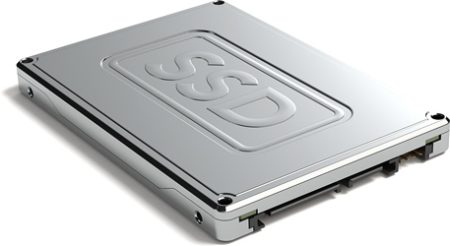
If your computer feels slow, it is easy to assume you need a brand-new machine. Sometimes you do. But in many cases, the problem is not the whole device. It is the hard drive. A traditional hard disk drive, often called an HDD, stores data on spinning mechanical parts. An SSD, or solid-state drive, stores data on flash memory. That simple difference can make your laptop or desktop feel much quicker, more responsive and easier to work with. For many UK businesses, upgrading to an SSD can be a sensible middle step before replacing hardware completely. A new business laptop can easily cost several hundred pounds, especially once setup, software and migration time are included. An SSD upgrade may cost far less and could give an older machine a useful second life. If you are reviewing ageing devices, Northern Star’s hardware and software support can help you decide whether an SSD upgrade is worth doing or whether a full replacement would make more sense. Your machine can start much faster One of the first things you notice after moving from an HDD to an SSD is the boot time. With an older hard drive, starting a computer can feel painfully slow. You switch it on, wait for Windows to load, wait for background apps to settle, then wait again before opening email or your browser. An SSD usually reduces that delay. Your machine can start faster, applications can open more quickly and everyday tasks feel less frustrating. This matters more than people think. If 5 members of staff each lose 10 minutes a day waiting for slow machines, that is more than 190 hours a year based on a typical working year. At even £20 per hour in staff cost, that is around £3,800 of lost time. The real cost may be higher if slow devices affect client service, deadlines or morale. For wider day-to-day technical problems, IT support and management can help keep users, devices and systems running smoothly. Files and applications can load more smoothly Slow machines do not only affect start-up. They also slow down normal work. Opening large spreadsheets, loading accounting software, searching folders, running updates and moving files can all take longer on an old mechanical drive. An SSD can make these actions feel much more immediate. That can be especially useful if your team works with Microsoft 365, cloud storage, design files, CRM systems or shared documents. The drive is not the only factor, but it is often one of the most noticeable bottlenecks. If your business uses Microsoft tools and cloud-based working, cloud services and Office 365 support can help make sure your wider setup is working properly too. You may not need to replace the whole computer Not every slow computer needs replacing. If the processor, memory and operating system are still suitable, changing the drive may be enough to make the machine useful again. This can be a practical option for smaller businesses that need to control costs but still want staff to work efficiently. A planned SSD upgrade can also reduce waste. Instead of discarding a laptop that still has value, you can improve its performance and keep it in use for longer. That said, it is worth checking the full picture first. If the device is too old, cannot support Windows 11, lacks enough memory or has other hardware issues, a replacement may be the better long-term option. Northern Star’s IT consulting services can help you review your setup before spending money. Your data can be moved safely with the right process A common concern when replacing a hard drive is data loss. You may worry that files, settings, applications and user profiles will disappear. With a properly planned upgrade, this should not be the case. The existing drive can usually be cloned or imaged, then transferred to the new SSD so the machine feels familiar when it is switched back on. This is where the upgrade should be handled carefully. Before any work starts, your data should be backed up, the health of the existing drive should be checked and the new SSD should be tested. If you are moving several machines or changing platforms at the same time, Northern Star’s IT migration services can help reduce disruption. SSDs are quieter and more durable A standard hard drive has moving parts. It spins, reads and writes using mechanical components. Over time, those moving parts can wear down or become more vulnerable to damage. An SSD has no moving parts. That usually makes it quieter, more resistant to knocks and better suited to laptops that are moved between offices, homes and client sites. This does not mean SSDs cannot fail. They can. You still need backups, security controls and proper device management. But for everyday business use, the lack of moving parts is a clear advantage. If your business has users across more than 1 location, global support and international projects can help with wider device planning and rollouts. You may get better battery life on laptops An SSD generally uses less power than a traditional hard drive because it does not need to keep mechanical parts spinning. The difference will depend on the laptop, battery health and workload, but it can help mobile users. If your team works from home, travels between sites or spends time in meetings, small improvements to battery life can make work less stressful. For organisations with staff across the UK and Europe, European IT support can help keep users supported wherever they are working. Security and backups still matter Upgrading to an SSD improves performance, but it does not automatically make your business secure. Before upgrading, it is sensible to review backups, encryption, antivirus protection, patching and access controls. A faster machine is useful, but only if the data on it is protected. For example, if a laptop is lost or stolen, a fast SSD will not help unless the device is encrypted and properly managed. If an old machine is infected with malware, cloning the drive without checking it first could move the problem to
Northern Star launch “Refer and Reward”
We’ve been told that we’re living in a digital age of sharing. Unfortunately as great as we are with technology, we’re not entirely behind the social media side of things. After all, do you really want to know what Oliver had for lunch after he just single-handedly fixed your printer queue, or what Jack did last Saturday night after his on-call shift? Exactly. But we do think sharing is a good thing. And if, like our other customers, you enjoy working with us and you hear someone has had a not-so-good experience with their IT team (slow systems, bounced emails or they just talk about having a generally irritating IT setup), point them in our direction. We’d love to help them out and as a thank you for thinking of us, we’ll give you £200 worth of Love 2 Shop vouchers, after they’ve had a successful month’s worth of a Northern Star support contract. This is more our idea of sharing, and we hope you’ll feel the same way too!
Windows 2003 Server end of life July 2015
They say “all things must pass” and it’s almost time once more for Microsoft to retire one of their main products. As of 14/07/2015 Microsoft Server 2003 will no longer be supported. But what does this mean to you? Firstly, Microsoft will no longer be releasing any security patches for this operating system, leaving your server vulnerable to any new threats that are released by any malicious parties. And you can bet there will be a lot of these. This will put your network and data at risk, with the potential of you losing assess to your data and being held ransomed or for it to ‘leaked’ online for everyone to use. Not pretty. Second to this, if there are any issues with the server operating system that one of our highly trained account managers are unable to fix, we will no longer be able to make use of the Microsoft support team to help resolve any complex issues. Both of these apply to equally a single server or servers that are installed as part of a larger infrastructure. What can we do to help? Northern Star is able to recommend, and implement, the best possible solution for your business to ensure a hassle free migration away from the 2003 platform. We’ll make sure we find the best fit, taking into account your operational requirements, budget, redundancies and required uptime. We think about the way your business works and ask questions such as: Do you need servers onsite or in the cloud? Is a hybrid solution best for your business? So you not only solve the legacy problem, but can do more once the solution has been put in place. Finally, once best solution has been decided on, we will quickly plan and deploy these recommendations with minimal impact to your everyday work. It can be tough for those without experience to do it the right way, but we’ve done this many times before for businesses just like yours. If you’re worried about having 2003 Servers in your IT estate and need a hand migrating away before the deadline, give us a call on 0800 319 6032 and we’d be happy to help.
Charity – Jeans For Genes Day
On the 19th of September we held a company fundraiser for Jeans for Genes, a charity which raises money for people with Genetic Disorders. They encourage groups to be creative with their ideas. We are quite a casual office, so we decided to jazz our Fundraiser day up a bit with some double denim, wearing everything from Dungarees, to Denim Jacket Cut Offs as well as denim shirts and jeans all round.

