
+44 (0) 800 319 6032
Northern Star provides Microsoft Copilot consulting London businesses can use to plan, adopt and manage AI tools across Microsoft 365 with more confidence. We help you understand where Copilot can add value, what needs to be prepared first and how to reduce risk before rolling it out to your team.
Microsoft Copilot can support productivity across familiar tools such as Outlook, Teams, Word, Excel, PowerPoint and Microsoft 365. But like any business technology, it needs proper planning. Without the right setup, permissions, data controls and user guidance, your business may not get the value it expects.
As part of the wider support available from Northern Star, our Copilot consulting is practical, security-aware and focused on real business outcomes. We help you use AI in a controlled way, rather than rushing into tools without understanding the impact on users, data and daily work.
Copilot can be useful, but it should not be treated as a simple switch-on feature. Your business needs to understand whether your Microsoft 365 environment is ready, how staff will use it and what information Copilot may be able to access.
Northern Star provides Copilot consulting services London businesses can use before, during and after adoption. We help you review your current setup, identify gaps and create a sensible plan for implementation.
Our support can help with:
The goal is to help your business make Copilot useful, safe and manageable.
AI tools can improve productivity, but they can also expose weaknesses in how information is stored and shared. If users already have access to too many files, folders or mailboxes, Copilot may make those access issues more visible.
Before introducing Copilot, your business should consider:
Northern Star’s cloud services and Office 365 support can help strengthen the Microsoft 365 foundation that Copilot depends on, including users, access, collaboration and cloud management.
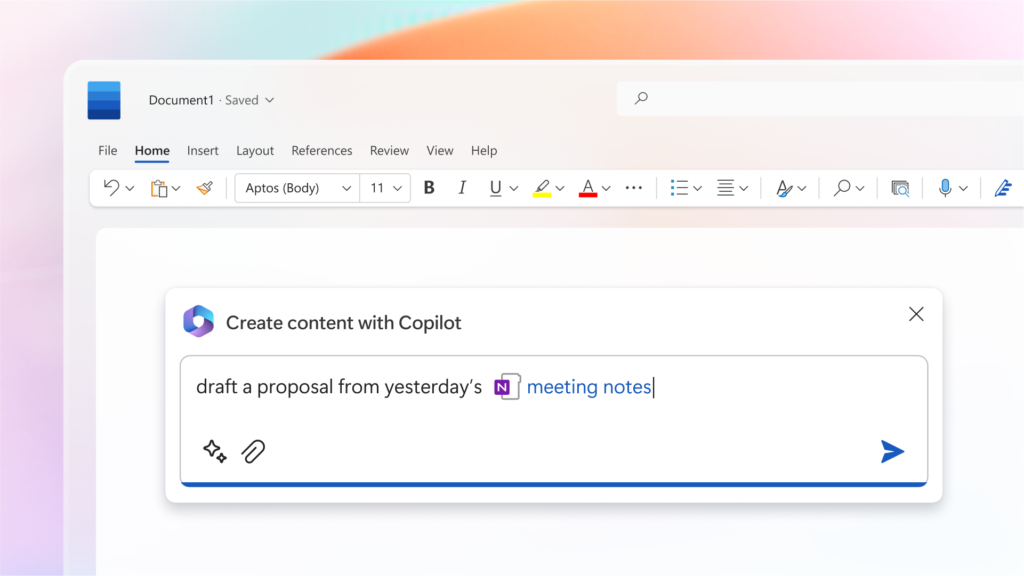
Once Copilot is in place, users may need help understanding how to use it properly. Some staff may expect too much from it. Others may avoid using it because they are unsure what is safe, useful or appropriate.
Northern Star provides Microsoft Copilot support London businesses can use to improve adoption and reduce confusion. We can help users understand practical ways to use Copilot while keeping business risk in mind.
Copilot may help users with:
Good support helps users understand both the benefits and the limits. Copilot can assist work, but it should not replace judgement, review or proper business controls.
Microsoft Copilot consulting should focus on business adoption, not just technical setup. Your team needs to know where Copilot fits into their daily work and when it should not be used.
Northern Star can help your business identify realistic use cases for different departments. This may include finance, sales, operations, HR, management, customer service or project teams.
Our IT consulting services can also help if Copilot is part of a broader review of your Microsoft 365, cloud, security or digital workplace strategy.
Copilot for Microsoft 365 depends heavily on the quality of your Microsoft 365 environment. If your files, permissions, groups and sharing settings are not well managed, adoption may become harder.
Northern Star can help review readiness before rollout. This gives your business a clearer view of what needs improving first.
This helps your business avoid common problems and gives staff a better experience from the start.
Security is one of the most important parts of Copilot planning. AI tools can make information easier to find, summarise and reuse. That is useful when permissions are correct, but risky when access has not been reviewed properly.
Northern Star can help your business think carefully about security before wider Copilot adoption. We focus on practical controls that reduce risk while still allowing users to benefit from AI.
Our security services can help connect Copilot adoption with wider cyber security and risk management across your business.
Copilot works best when staff understand how to use it responsibly. This includes knowing when to check outputs, when not to share sensitive information and how to avoid relying on AI-generated content without review.
Northern Star can help your business create clear internal guidance for Copilot use. The guidance should be easy to understand and practical for normal working days.
If phishing and social engineering are concerns, our anti phishing services can help improve staff awareness around email-based attacks and suspicious requests.
Not every business should roll out Copilot to everyone at once. A staged approach is often more sensible. It allows your business to test use cases, review feedback, adjust policies and manage licences more carefully.
Northern Star can help you plan a rollout that fits your organisation. This may include starting with a pilot group, supporting key departments, reviewing productivity benefits and then expanding access once your business is ready.
If Copilot adoption forms part of a wider move to Microsoft 365 or cloud platforms, our IT migration services can help you plan the technical change more carefully.

Copilot adoption should not stop after setup. As users gain experience, your business may need to refine policies, improve training, review licences and identify better use cases.
Northern Star can help your business keep improving how Copilot is used. We can support your internal team, provide practical advice and help review whether the tool is delivering value.
Our IT support and management services can help keep users, cloud tools and wider IT systems running smoothly as your business adopts new ways of working.
Northern Star combines Microsoft 365 experience with practical IT support, cloud services, security guidance and business consultancy. That matters because Copilot affects more than productivity. It touches data, permissions, user behaviour, security and day-to-day operations.
We help your business move beyond the excitement around AI and focus on what Copilot can realistically do, where it needs control and how it can support better working.
If your business is considering Microsoft Copilot, already testing it or unsure whether your Microsoft 365 environment is ready, Northern Star can help.
Speak to our team about Microsoft Copilot consulting that supports safe adoption, better productivity and clearer AI governance.
Contact Northern Star to discuss your Copilot requirements
Microsoft Copilot consulting London helps businesses plan, prepare and adopt Copilot across Microsoft 365. Northern Star can support readiness reviews, permissions, security, user training, pilot planning, adoption strategy and ongoing improvement.
Yes, Microsoft Copilot can be suitable for small businesses when it is introduced properly. It is important to review Microsoft 365 permissions, data access, user training and licence needs before rolling it out widely.
Before using Microsoft Copilot, your business should review user permissions, SharePoint and OneDrive access, Teams structure, data security, account protection, staff guidance and AI usage policies. This helps reduce the risk of exposing information too widely.
Copilot can help improve productivity by supporting email summaries, meeting notes, document drafts, planning, research within Microsoft 365 and everyday admin tasks. The best results usually come when users are trained and clear use cases are identified.
Yes, Microsoft 365 support is often useful before adopting Copilot. Copilot depends on your Microsoft 365 setup, including users, permissions, file storage, security and collaboration tools. A readiness review can help identify what needs improving first.
Speak directly with an experienced specialist — no voicemail maze, no scripted support.
Tell us what is slowing your organisation down. An experienced specialist will help you understand the most practical next step.


6 global locations. One local point of contact. London-based support.
Dependable IT support and cyber security for ambitious organisations in London and around the world.
The Leadenhall Building
122 Leadenhall Street
London EC3V 4AB
Schuman Roundabout 2–4
1040 Brussels
14 Wall Street, 20th floor
New York, NY 10005
33 Rue La Fayette
75009 Paris
75 Broadway, Suite 202
San Francisco, CA
Marina Bay Financial Centre
10 Marina Boulevard
© 2026 Northern Star. All rights reserved.