
If your computer feels slow, it is easy to assume you need a brand-new machine. Sometimes you do. But in many cases, the problem is not the whole device. It is the hard drive.
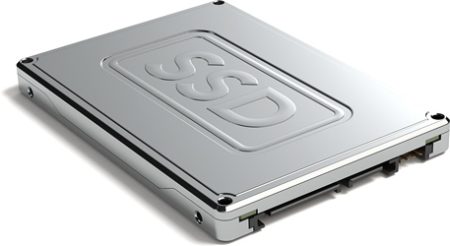
A traditional hard disk drive, often called an HDD, stores data on spinning mechanical parts. An SSD, or solid-state drive, stores data on flash memory. That simple difference can make your laptop or desktop feel much quicker, more responsive and easier to work with.
For many UK businesses, upgrading to an SSD can be a sensible middle step before replacing hardware completely. A new business laptop can easily cost several hundred pounds, especially once setup, software and migration time are included. An SSD upgrade may cost far less and could give an older machine a useful second life.
If you are reviewing ageing devices, Northern Star’s hardware and software support can help you decide whether an SSD upgrade is worth doing or whether a full replacement would make more sense.
Your machine can start much faster
One of the first things you notice after moving from an HDD to an SSD is the boot time.
With an older hard drive, starting a computer can feel painfully slow. You switch it on, wait for Windows to load, wait for background apps to settle, then wait again before opening email or your browser.
An SSD usually reduces that delay. Your machine can start faster, applications can open more quickly and everyday tasks feel less frustrating.
This matters more than people think. If 5 members of staff each lose 10 minutes a day waiting for slow machines, that is more than 190 hours a year based on a typical working year. At even £20 per hour in staff cost, that is around £3,800 of lost time. The real cost may be higher if slow devices affect client service, deadlines or morale.
For wider day-to-day technical problems, IT support and management can help keep users, devices and systems running smoothly.
Files and applications can load more smoothly
Slow machines do not only affect start-up. They also slow down normal work.
Opening large spreadsheets, loading accounting software, searching folders, running updates and moving files can all take longer on an old mechanical drive. An SSD can make these actions feel much more immediate.
That can be especially useful if your team works with Microsoft 365, cloud storage, design files, CRM systems or shared documents. The drive is not the only factor, but it is often one of the most noticeable bottlenecks.
If your business uses Microsoft tools and cloud-based working, cloud services and Office 365 support can help make sure your wider setup is working properly too.
You may not need to replace the whole computer
Not every slow computer needs replacing.
If the processor, memory and operating system are still suitable, changing the drive may be enough to make the machine useful again. This can be a practical option for smaller businesses that need to control costs but still want staff to work efficiently.
A planned SSD upgrade can also reduce waste. Instead of discarding a laptop that still has value, you can improve its performance and keep it in use for longer.
That said, it is worth checking the full picture first. If the device is too old, cannot support Windows 11, lacks enough memory or has other hardware issues, a replacement may be the better long-term option. Northern Star’s IT consulting services can help you review your setup before spending money.
Your data can be moved safely with the right process
A common concern when replacing a hard drive is data loss.
You may worry that files, settings, applications and user profiles will disappear. With a properly planned upgrade, this should not be the case. The existing drive can usually be cloned or imaged, then transferred to the new SSD so the machine feels familiar when it is switched back on.
This is where the upgrade should be handled carefully. Before any work starts, your data should be backed up, the health of the existing drive should be checked and the new SSD should be tested.
If you are moving several machines or changing platforms at the same time, Northern Star’s IT migration services can help reduce disruption.
SSDs are quieter and more durable
A standard hard drive has moving parts. It spins, reads and writes using mechanical components. Over time, those moving parts can wear down or become more vulnerable to damage.
An SSD has no moving parts. That usually makes it quieter, more resistant to knocks and better suited to laptops that are moved between offices, homes and client sites.
This does not mean SSDs cannot fail. They can. You still need backups, security controls and proper device management. But for everyday business use, the lack of moving parts is a clear advantage.
If your business has users across more than 1 location, global support and international projects can help with wider device planning and rollouts.
You may get better battery life on laptops
An SSD generally uses less power than a traditional hard drive because it does not need to keep mechanical parts spinning.
The difference will depend on the laptop, battery health and workload, but it can help mobile users. If your team works from home, travels between sites or spends time in meetings, small improvements to battery life can make work less stressful.
For organisations with staff across the UK and Europe, European IT support can help keep users supported wherever they are working.
Security and backups still matter
Upgrading to an SSD improves performance, but it does not automatically make your business secure.
Before upgrading, it is sensible to review backups, encryption, antivirus protection, patching and access controls. A faster machine is useful, but only if the data on it is protected.
For example, if a laptop is lost or stolen, a fast SSD will not help unless the device is encrypted and properly managed. If an old machine is infected with malware, cloning the drive without checking it first could move the problem to the new SSD.
This is why SSD upgrades should sit within a wider IT plan. Northern Star’s security services can help you review how well your devices, users and data are protected.
You may also want to consider network penetration testing or wider penetration testing if you are reviewing broader cyber risk.
It can support a wider device refresh plan
An SSD upgrade can be useful on its own, but it is often most effective as part of a proper device review.
You may decide that some computers should receive SSD upgrades, some should have more memory added and some should be replaced completely. This gives you a more sensible spending plan than replacing everything at once.
It also helps you avoid hidden problems. For example, a machine may feel slow because of an old hard drive, but it may also have too little memory, outdated software, poor Wi-Fi or unnecessary start-up apps.
A practical review can help you decide what to fix now, what to replace later and where the biggest gains will come from.
What should you check before upgrading?
Before you upgrade to an SSD, it is worth checking a few simple points:
- Check whether the device supports an SSD upgrade.
- Check whether the machine is still suitable for your operating system.
- Check whether the user needs more storage capacity.
- Check whether the existing drive has errors or warning signs.
- Check that a full backup is completed before work starts.
- Check whether encryption and security settings need to be reviewed.
- Check whether replacing the device would offer better long-term value.
If your team is also dealing with suspicious emails, exposed accounts or wider cyber risks, services such as anti phishing support and dark web monitoring can help strengthen your overall protection.
Is an SSD upgrade worth it?
For many businesses, yes. An SSD upgrade can be one of the most noticeable and cost-effective ways to improve an older computer.
It can reduce waiting time, make applications feel smoother, improve reliability and help extend the useful life of existing hardware. It can also support a more controlled IT budget, especially when replacing every machine at once is not realistic.
The key is to avoid guessing. Some machines are worth upgrading. Others are not. A quick review can help you make the right call before spending money.
If your computers feel slow, unreliable or overdue for review, contact Northern Star to discuss your options. Their team can help you decide whether an SSD upgrade, hardware replacement or wider IT review is the most practical next step for your business.







2 Comments
I read this piece of writing fully about the difference of
newest and preceding technologies, it’s awesome article.
Your style is unique compared to other people I have read stuff from.
Thanks for posting when you’ve got the opportunity,
Guess I will just bookmark this web site.