Employee credentials are one of the easiest ways for cyber criminals to get inside a business. A username and password may seem like a small detail, but if those details are exposed, they can give an attacker a route into your email, cloud files, finance systems, client data and internal conversations.
This is why employee credentials on the dark web should never be ignored. If your staff logins are being shared, sold or tested by criminals, your organisation may already be at risk before anyone notices anything unusual.
With the right monitoring, user awareness, account protection and ongoing IT support and management, you can identify risks earlier and take practical steps before exposed credentials become a serious business incident.
Why employee credentials end up on the dark web
Employee credentials can be exposed in several ways. A member of staff may click a phishing link and enter their password into a fake login page. Malware may steal saved passwords from a laptop or browser. Details may also be leaked through a third-party website or service that has suffered a data breach.
The risk becomes much greater when employees reuse passwords across work and personal accounts. A password leaked from a personal website may later be tested against Microsoft 365, remote access tools, accounting software or other business systems. This is known as credential stuffing, and it is one reason password reuse is so dangerous.
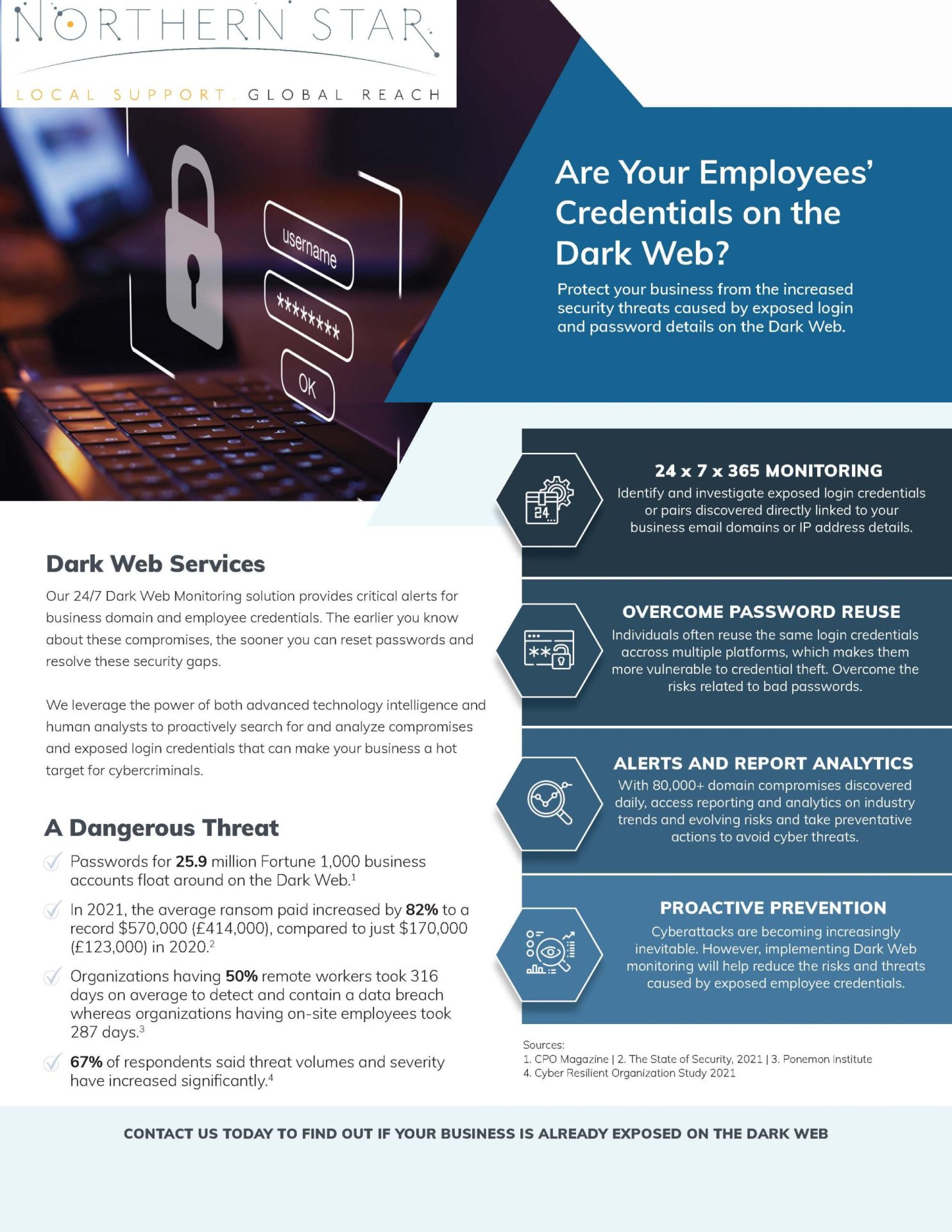
Your business does not need to suffer a direct breach for your credentials to appear online. That is what makes dark web monitoring so valuable. It can help identify exposed business email addresses, compromised passwords and company-related data that may already be circulating in places linked to cybercrime.
Why this is a serious business threat
If an attacker has valid login details, they may not need to break through your systems. They may simply sign in.
From there, they could read emails, access files, reset passwords, impersonate employees, redirect payments or send convincing phishing messages from a genuine business account. If the account belongs to a senior employee or administrator, the risk can be even more serious because that account may have wider access.
Compromised credentials can lead to:
- Unauthorised access to business systems
- Fraudulent emails sent from real company accounts
- Invoice fraud and payment redirection
- Data loss or data theft
- Ransomware risk
- Loss of client confidence
- Regulatory and legal concerns
For small and medium-sized businesses, the impact can be particularly difficult. You may not have a large internal cyber security team, but criminals still see your data, accounts and systems as valuable. Practical security services should therefore be part of your wider IT plan, not something you only consider after an incident.
Phishing remains one of the biggest risks
Phishing continues to be one of the most common ways attackers target UK organisations. Fraudulent emails, fake login pages and convincing messages can trick employees into giving away their details without realising it.
This is why your people need to know what suspicious messages look like. They should be encouraged to question unexpected links, urgent requests, password expiry warnings and login prompts that do not feel right.
A structured anti phishing approach can help your team recognise common tactics and report concerns quickly. This should not be about blaming employees. It should be about helping them become a stronger part of your defence.
Strengthen your Microsoft 365 and cloud accounts
Many businesses rely on Microsoft 365 for email, file storage, calendars, collaboration and day-to-day communication. That makes cloud accounts a major target for credential-based attacks.
Your cloud services and Office 365 setup should be reviewed regularly. Multi-factor authentication should be enabled where possible, old accounts should be removed, permissions should be appropriate and unusual sign-in activity should be investigated.
Admin accounts need extra care. If an attacker gains access to an administrator account, they may be able to make wider changes across your environment. Admin rights should only be given to people who genuinely need them, and those accounts should have stronger protection than standard user accounts.
Use multi-factor authentication wherever possible
Multi-factor authentication adds an extra step when someone signs in. This means that even if a password is exposed, an attacker may still be blocked from accessing the account.
It is especially important for email, cloud platforms, finance systems, remote access tools and administrator accounts. While no single control removes all risk, multi-factor authentication is one of the most practical ways to reduce the damage caused by leaked passwords.
You should also review how authentication is managed across your business. If some systems have strong protection but others do not, attackers may target the weakest entry point.
Protect every device your staff use
Credentials are often stolen from devices, not just websites. If a laptop, desktop or mobile device is infected with malware, saved passwords, browser sessions and business data may be at risk.
Every work device should be updated, protected and monitored. Staff should avoid saving passwords in unsafe places, and personal devices should not be used for sensitive business work unless they are properly managed.
Reliable hardware and software support can help keep your devices secure, maintained and suitable for the way your team works. It can also make it easier to respond quickly if a device is suspected of being compromised.
Review your wider security position
Credential exposure can be a sign of wider security weaknesses. Old software, weak passwords, poor access controls, unprotected devices and exposed remote access services can all increase the chance of an account being misused.
Regular technical reviews can help you find these weaknesses before attackers do. Network penetration testing can help identify vulnerabilities across your IT environment, while broader penetration testing can show how your systems may stand up against real-world attack methods.
The aim is not to create fear. It is to give you useful information, clear priorities and practical actions that reduce risk.
Plan properly when systems change
Credential risk can increase during periods of change. If you are moving platforms, introducing new cloud tools, merging systems or changing providers, old accounts and weak access controls can easily be carried into the new setup.
Careful migrations planning can help you avoid this. User accounts should be reviewed, unnecessary access should be removed and security settings should be checked before new systems become business critical.
A migration is also a good time to improve password policies, enable multi-factor authentication and make sure your access structure still reflects how your business works today.
Support remote, hybrid and international teams
If your staff work remotely, travel often or operate across different locations, credential security becomes harder to manage. People may sign in from different networks, devices and time zones, which can make suspicious activity harder to spot.
A joined-up IT support model helps keep security standards consistent. European IT support can help businesses with teams or clients across Europe, while global support and international projects can help organisations with wider operational needs.
The key is consistency. Remote and international users should not be left with weaker protection simply because they are outside the main office.
Know what to do after a dark web alert
A dark web alert is only useful if you know what to do next. If employee credentials are found online, you should act quickly but calmly.
Your response should include:
- Resetting the affected password
- Checking whether the password has been reused elsewhere
- Confirming multi-factor authentication is active
- Reviewing recent sign-in activity
- Checking mailbox rules and forwarding settings
- Looking for suspicious file access or account changes
- Speaking to the affected employee in a practical and supportive way
You should also review whether the issue points to a wider problem. One exposed password may reveal poor password habits, weak phishing awareness, unmanaged devices or gaps in your cloud security.
This is where practical IT consulting can help. Instead of treating the alert as a one-off issue, you can look at the bigger picture and decide what needs to improve across your systems, users and processes.
Safeguard your organisation now
Employee credentials on the dark web are not just an IT problem. They are a business risk. They can affect your finances, reputation, client relationships, data protection responsibilities and ability to work safely.
The sooner you know what has been exposed, the sooner you can act. Dark web monitoring, phishing awareness, stronger Microsoft 365 controls, endpoint protection and ongoing security support all help reduce the chance of exposed credentials turning into a damaging incident.
Northern Star can help you identify exposed credentials, strengthen your security and respond with clear, practical next steps. If you want to protect your people, systems and business data, contact Northern Star today and let the team help superpower your IT security.