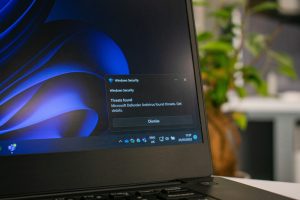
If you’re relying on “the email filter will catch it” as your main defence, you’re not alone but you are exposed. Phishing has changed. It’s no longer just badly written emails with obvious dodgy links. Today’s attacks are designed to look normal, arrive from trusted systems, and blend into the way you already work.
The good news: you don’t need to become a security expert to reduce the risk. You just need a practical set of habits, controls, and checks that work together.
Why phishing still works (even with good filters)
Most businesses have some level of email filtering. Many also have Microsoft 365 security features turned on. Yet phishing is still the most common cyber threat UK organisations run into.
The UK Government’s Cyber Security Breaches Survey 2025 found that 37% of businesses identified phishing attacks in the last 12 months (with micro businesses at 35% and small businesses at 42%).
And when phishing does lead to something more serious (credential theft, invoice fraud, ransomware), the costs add up quickly. The same survey reports an average cost per business of £990 for cyber crime excluding phishing-only incidents (and £1,970 when excluding £0 responses).
Filters help — but modern phishing often avoids the “classic” patterns those filters are built to detect.
How modern phishing gets past standard email security
1) It uses trusted platforms (so the links look “safe”)
Attackers often host malicious content on legitimate services — file-sharing tools, forms, collaborative documents, or compromised websites. Your filter sees a well-known domain and lets it through. You see something familiar and click.
Your habit to adopt: don’t judge a link by the brand name. Judge it by context (were you expecting it?) and by what it’s asking you to do (log in, pay, change bank details, approve access).
2) It arrives from real, compromised email accounts
Instead of spoofing a sender, criminals compromise a real mailbox and send phishing from inside a genuine thread. That means:
- the sender address is real
- the writing style feels right
- the email history looks normal
This is why “it came from my colleague” isn’t proof of safety anymore.
Your habit to adopt: if money, passwords, payroll, or bank details are involved — verify out-of-band (call the person using a number you already have, not the one in the email).
3) It targets your login process, not just your inbox
A lot of modern phishing is designed to steal:
- Microsoft 365 credentials
- session tokens (so the attacker bypasses MFA)
- OAuth permissions (“Allow this app to access your mailbox”)
In plain English: you can do everything “right” and still get caught if you approve the wrong prompt or grant the wrong access.
Your habit to adopt: treat unexpected sign-in prompts as suspicious. If you didn’t just try to log in, don’t approve anything.
4) It hides the payload (QR codes, images, and “clean” attachments)
Some attacks use QR codes (so the link isn’t readable by basic scanners), or they put the malicious content behind multiple redirects so it looks harmless at first glance. Others use attachments that appear normal but lead you into a login flow.
Your habit to adopt: slow down when the email tries to move you onto your phone (QR codes) or into a login page. That’s often where the theft happens.
5) It’s tailored using publicly available info
Attackers don’t need to “guess” anymore. They can pull details from LinkedIn, company websites, job adverts, and press releases. That makes the email feel personal — and believable.
Your habit to adopt: when an email uses specific details to build trust, don’t assume it’s genuine. That can be exactly what makes it dangerous.
The basics that actually reduce risk (without overcomplicating it)
Phishing defence works best in layers. Here’s a sensible baseline you can put in place without turning your business into a security laboratory.
Tighten your Microsoft 365 and cloud setup
If you’re using Microsoft 365, your controls should match how people really work today (remote, mobile, fast-moving). Strong configuration and monitoring matters — not just “having licences”.
If you need help stabilising and securing your tenant, Cloud Services / Office 365 support can remove a lot of the guesswork.
Use endpoint protection that catches what email can’t
Phishing is often just the entry point. Once a device is compromised, the threat spreads quickly. Endpoint tooling (and the right response plan) helps contain the damage when someone does click.
This pairs naturally with Security Services and practical endpoint strategies like EDR (Endpoint Detection & Response).
Make verification normal (especially for payments)
Invoice fraud and “change of bank details” scams work because people feel rushed or awkward double-checking. Make it policy that verification is expected, not optional:
- confirm payment changes by phone
- confirm new suppliers independently
- don’t rely on email-only approvals
Train people for reality, not theory
Most “phishing training” fails because it’s too generic. Your team needs to recognise the stuff that gets through filters:
- login prompts
- fake Microsoft 365 pages
- “shared document” bait
- thread hijacks
- urgent finance requests
You can also back this up with process and policy work through Consulting if you want something that fits your business rather than a one-size template.
Test your defences (don’t just assume)
A quick check can reveal weak spots in email security, device controls, permissions, and user access. If you want a structured way to validate your posture, penetration testing is designed to find the gaps before an attacker does.
What to do when you spot a phish (a simple playbook)
- Don’t click anything else. Don’t forward it to colleagues as an attachment.
- Report it internally (have a clear “who to tell” route).
- If credentials were entered, change the password immediately and alert IT — assume the account is compromised.
- Check for mailbox rules (attackers often add hidden forwarding or deletion rules).
- Watch for follow-on emails (invoice changes, urgent payment requests, new “apps” requesting access).
If you’re building your wider IT support around consistent processes and fast response times, it helps to have a partner who acts like part of your team — which is exactly the model behind IT Support and Management.
FAQs
How can phishing bypass MFA?
Some phishing kits use “adversary-in-the-middle” techniques to capture session tokens after you complete MFA, effectively logging in as you without needing your code again. Another common route is MFA fatigue (repeated prompts until someone approves). The fix is layered: conditional access, device compliance, strong MFA methods, and user habits around unexpected prompts.
What’s the biggest phishing risk for finance teams?
Payment redirection and invoice fraud. Attackers either impersonate suppliers or hijack a real thread and request a bank change. Your best defence is a strict verification process, plus strong mailbox security and monitoring.
Are QR code phishing attacks really common now?
They’re growing because QR codes hide the destination from basic scanning and get users onto mobile browsers, where it’s harder to inspect URLs and security signals. Treat unexpected QR codes like links you can’t see — and verify before you act.
If we have email filtering, is user training still necessary?
Yes. Filters reduce volume, but modern phishing is designed to look legitimate and arrive through trusted channels. The Cyber Security Breaches Survey shows phishing remains the most prevalent type of cyber crime for organisations that experience cyber crime.
What services help most if we want to reduce phishing risk fast?
A sensible “fast win” bundle is: secure Microsoft 365 configuration, endpoint protection/EDR, clear reporting processes, and targeted training. If you also want confidence you’re not missing hidden gaps, add testing and review.
If you want to make phishing a non-event — not a weekly fire drill — Northern Star can help you tighten the basics and put the right layers in place across your email, endpoints, and cloud setup. Start by exploring Hardware and Software to standardise secure devices, Migrations to remove risky legacy setups, and Global Support and International Projects or European IT Support if you’re supporting multiple offices.
Ready to lock this down properly? Get in touch via the contact page or call +44 (0) 800 319 6032 and we’ll help you put a practical anti-phishing setup in place that fits how your team actually works.